
Supplier Management
Centralize all your supplier information to facilitate expense management.
Introduction
The supplier directory centralizes all information about your business partners: contacts, addresses, expense history. A well-documented supplier facilitates quick expense entry.
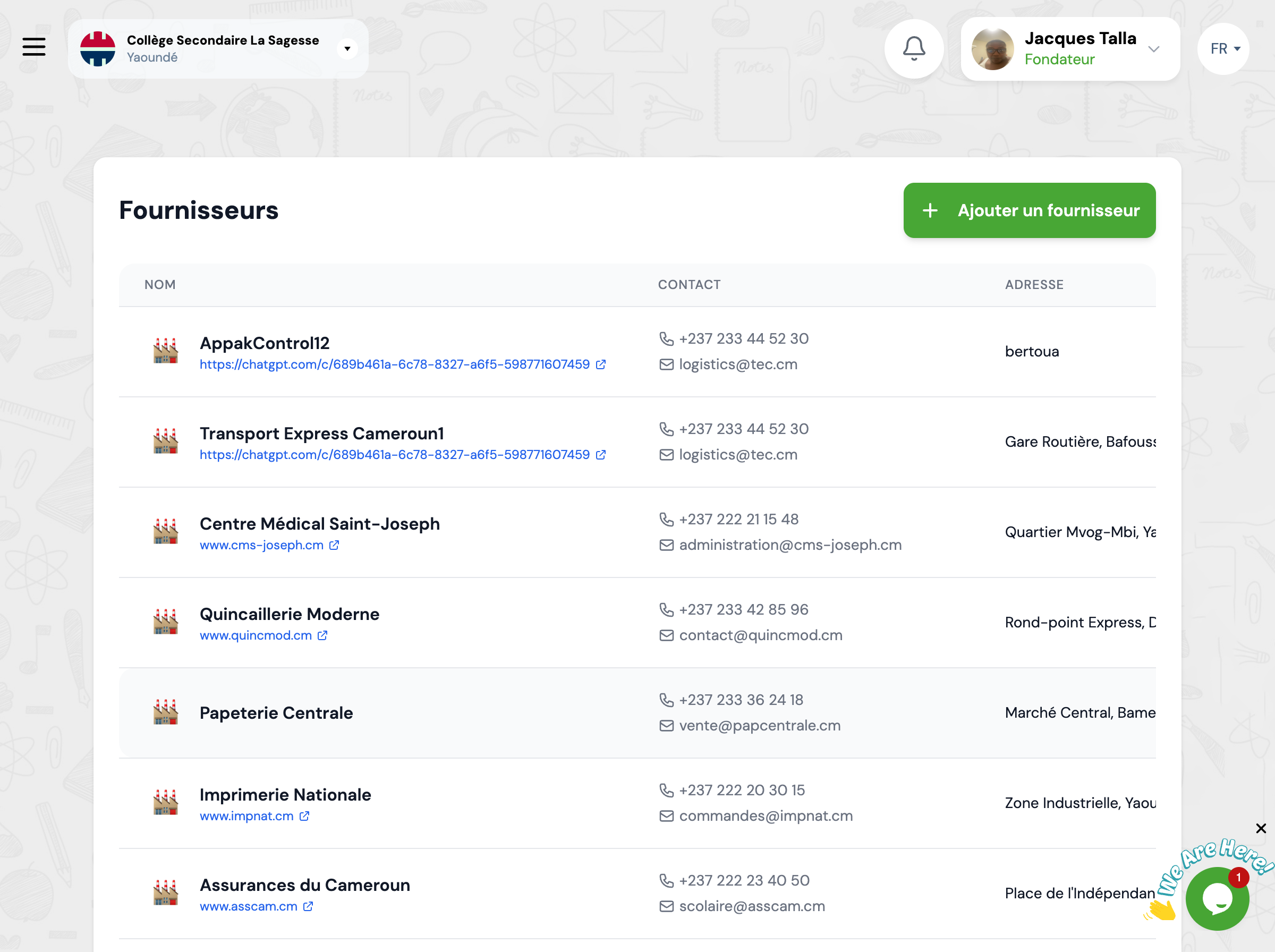
Overview
The list displays all your suppliers with their main contact details.
Centralized Database
All supplier information in one place
Quick Access
Easily find your supplier contact details
Expense Tracking
View expense history by supplier
Complete History
Keep track of all transactions with each supplier
Supplier Information
For each supplier, the following information is available.
Supplier Name
Company name or trade name of the supplier
Contact Person
Name of the responsible person at the supplier
Phone
Main contact phone number
Contact email address for communications
Address
Complete physical address of the supplier
Primary Category
Type of products or services provided (supplies, equipment, etc.)
Banking Information
IBAN or bank details for transfers
Notes and Comments
Additional information and free comments
Available Actions
You can perform several actions on your suppliers.
Add Supplier
Create a new supplier record with all contact information
View Details
View all supplier information and associated expense history
Edit
Update supplier information (contacts, category, notes)
Delete
Delete supplier (only if no associated expenses)
Expense History
View all expenses made with this supplier
Next Steps
Now that you know your suppliers:
