
Pending Validations
Manage expenses submitted for validation with approval or rejection options.
Introduction
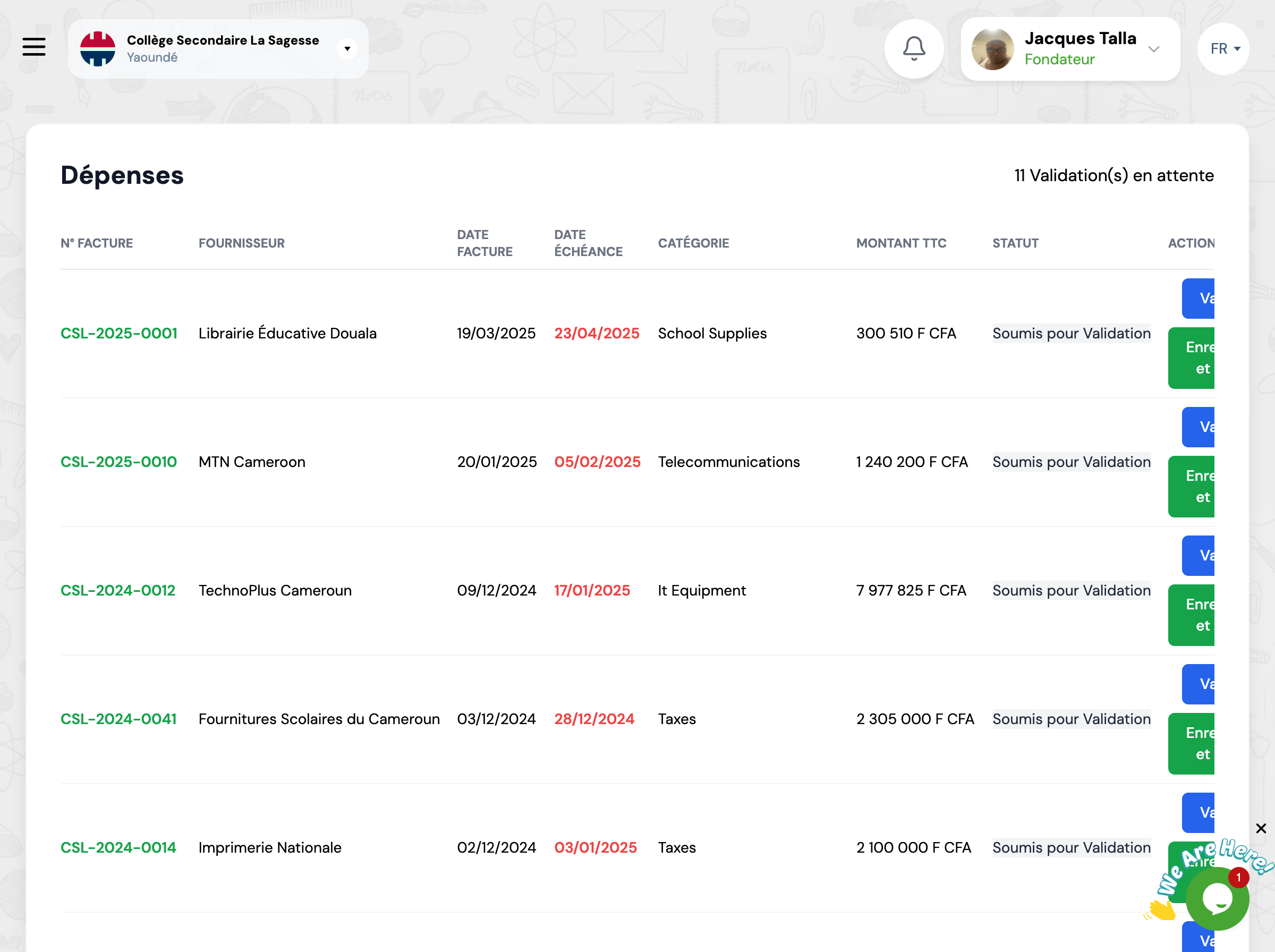
This page centralizes all expenses pending validation. Authorized managers can approve or reject expenses submitted by users.
Overview
The table displays all expenses with 'Submitted for Validation' status, sorted by due date.
Important
Only users with appropriate permissions can validate or reject expenses. Each validation is recorded with the date and validator's identity to ensure traceability.
Validation Process
The validation workflow follows these steps.
Expense Review
Check details: amount, supplier, supporting documents
Validation Decision
Validate if compliant or reject with reason
Notification
User is notified of the decision
Validation Actions
For each expense, you have several actions available.
View Details
View all expense information, supporting documents, and history
Validate
Approve the expense - it will change to 'Validated' status
Reject
Refuse the expense with reason for rejection
Edit Before Validation
Correct expense information before validating it
Next Steps
After validating your expenses:
