
Expense Register
View and manage all your expenses with filters and quick actions.
Introduction
The expense register centralizes all the institution's expenses. You can view details of each expense, track their validation and payment status, and perform management actions.
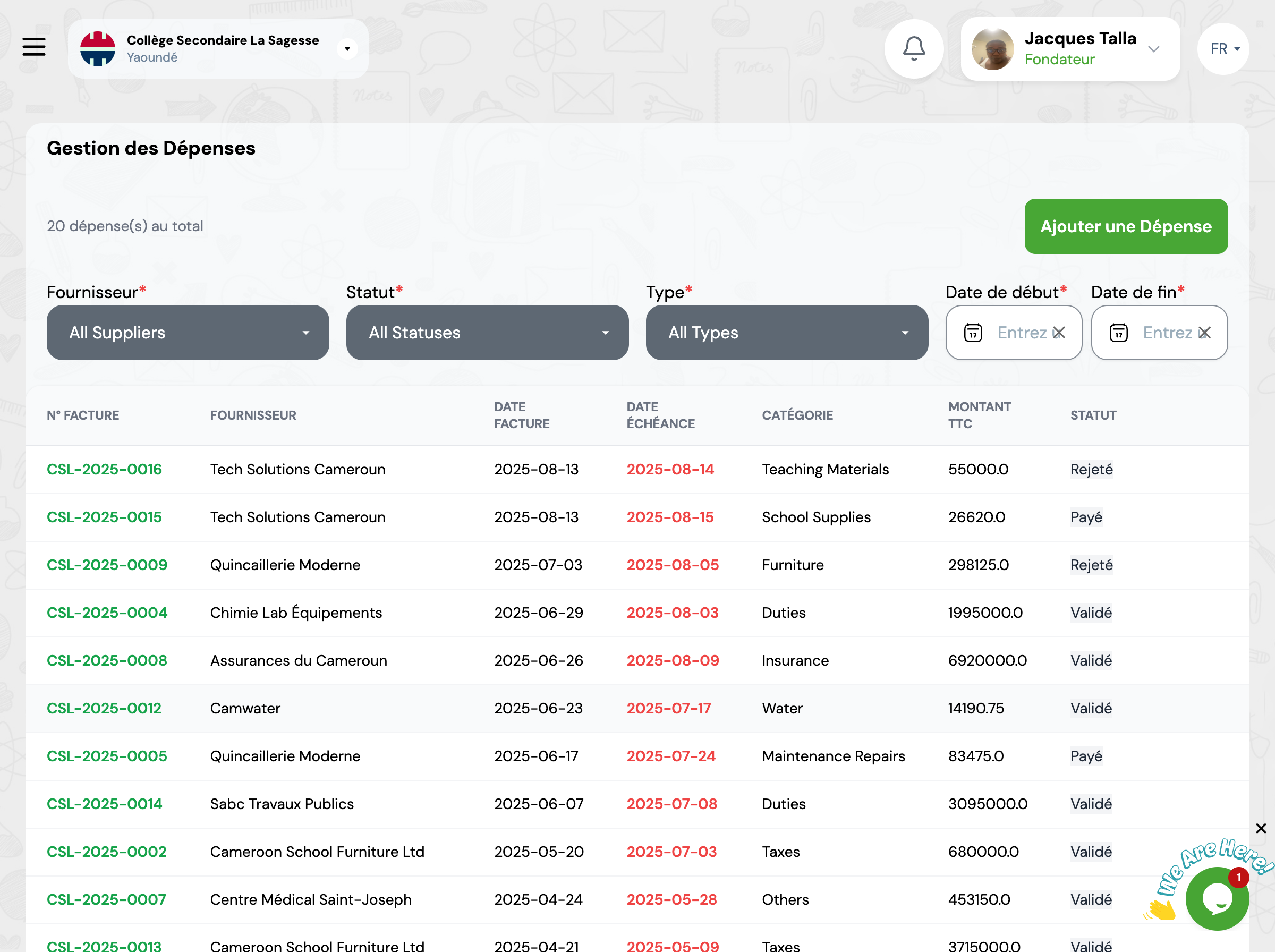
Overview
The register displays all expenses in table format with filtering and search capabilities.
Available Filters
Use filters to refine your expense search.
By Supplier
Filter expenses by supplier
By Status
Filter by status: Draft, Submitted, Validated, Rejected, Paid
By Type/Category
Filter by expense category
By Period
Select a date range
Table Columns
The table displays essential information for each expense.
Invoice No.
Unique invoice number
Supplier
Supplier name
Invoice Date
Date of invoice issuance
Due Date
Payment deadline
Category
Expense type
Amount (Inc. Tax)
Total amount including all taxes
Available Actions
For each expense, you can perform several actions.
View Details
View all expense information
Duplicate
Create a new expense based on this one
Edit
Modify expense information
Delete
Permanently delete the expense
Next Steps
Now that you know how to view the register:
