
Purchase Requests
Request and compare quotes from multiple suppliers to get the best prices
What is a purchase request?
A purchase request allows you to solicit quotes from multiple suppliers for the same need, then compare offers to choose the best one.
Systematic comparison
Easily compare prices, delivery times, and terms offered by different suppliers in a single table.
Budget optimization
Get the best prices by putting suppliers in competition and negotiating.
Decision traceability
Keep history of all requests and quotes to justify your purchasing choices.
Purchase request lifecycle
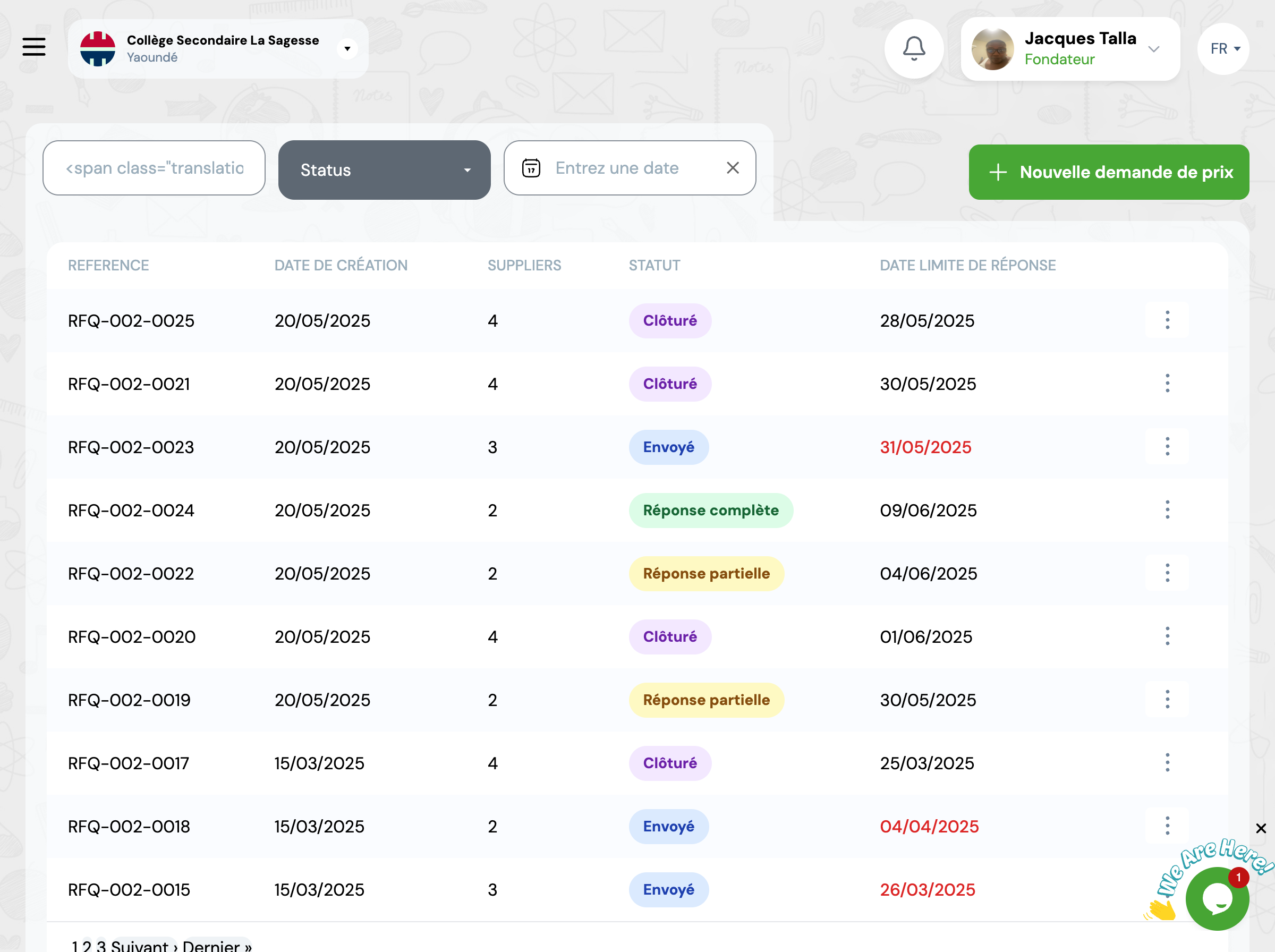
A purchase request goes through several statuses according to its progress.
Request canceled
A request can be canceled anytime before creating the purchase order.
How to create a purchase request
Create the request
Go to GO4STOCK > Purchase requests and click 'New request'.
Information to enter:
- • Request reference (automatically generated)
- • Request date
- • Notes or request justification
Add items
List all items you need with desired quantities.
Tip:
You can add items even if they don't exist yet in your catalog. The system will create them automatically.
Select suppliers
Choose at least 2 suppliers from whom you want to get quotes.
Automatic suggestion
The system suggests suppliers who already offer these items in their catalog.
Send the request
Validate and send the request to selected suppliers.
The system will automatically:
- • Generate a professional quote request document
- • Send the request by email to suppliers (if configured)
Compare quotes
Once suppliers have responded, compare their offers to choose the best one.
Quote comparison table
| Item | Quantity | Supplier 1 | Supplier 2 | Supplier 3 | Best price |
|---|---|---|---|---|---|
| Cahiers 100 pages | 500 | 350 FCFA | 300 FCFA | 325 FCFA | Supplier 2 |
| Stylos bleus | 300 | 100 FCFA | 120 FCFA | - | Supplier 1 |
Guaranteed savings
Instantly identify the cheapest supplier for each item.
Informed decision
Compare not only prices but also delivery times and payment terms.
Complete history
Keep all received quotes for future references and negotiations.
Practical example
Context:
Your school needs school supplies for the new school year. You create a purchase request to compare prices.
Requested items:
- • 500 notebooks 100 pages
- • 300 blue pens
- • 200 HB pencils
Consulted suppliers:
Modern Stationery
Supplies Plus
Office Direct
Result:
- • Supplies Plus offers the best prices for notebooks and pens
- • Modern Stationery has the best delivery times
- • You choose Supplies Plus and save 15% compared to buying without comparison
Best practices
Consult at least 3 suppliers
To have a true comparison and be able to negotiate, solicit at least 3 quotes.
Define clear selection criteria
Price is not the only criterion. Also consider: quality, delivery times, payment terms, supplier reliability.
Set a response deadline
Tell suppliers a deadline for sending their quote (usually 5-7 business days).
Keep all quotes
Even unselected ones. They will serve as reference for future negotiations.
Negotiate
If prices differ significantly, show the highest bidder their competitors' prices to negotiate.
Document your choice
Note reasons for your selection to justify your decision to management.
Frequently asked questions
Must I use purchase requests?
No, you can directly create purchase orders if you already know your supplier. Purchase requests are recommended for large purchases or when you want to compare multiple offers.
Can I modify a purchase request already sent?
If you haven't received any response from a supplier, you can cancel the request and create a new one. If suppliers have already responded, it's better to create a new request to avoid confusion.
How do I handle incomplete quotes?
If a supplier only proposed prices for certain items, you can: 1) Ask them to complete their quote, 2) Compare what they provided and possibly combine multiple suppliers, 3) Exclude them from comparison if too incomplete.
Does the system automatically choose the cheapest?
No, the system presents you a comparative table and can highlight the least expensive offer, but the final decision is yours. You must consider other factors like supplier reliability, delivery times, quality, etc.
What happens to purchase requests after creating purchase order?
They are archived with 'Closed' status. You can always view them for future reference. All received quotes remain accessible in history.
