
Salary advances
Manage advance requests with approval workflow and automated repayment.
Introduction
The salary advance module allows employees to request advances that will be repaid from their future salaries. The system automatically manages the approval workflow and monthly repayment calculations.
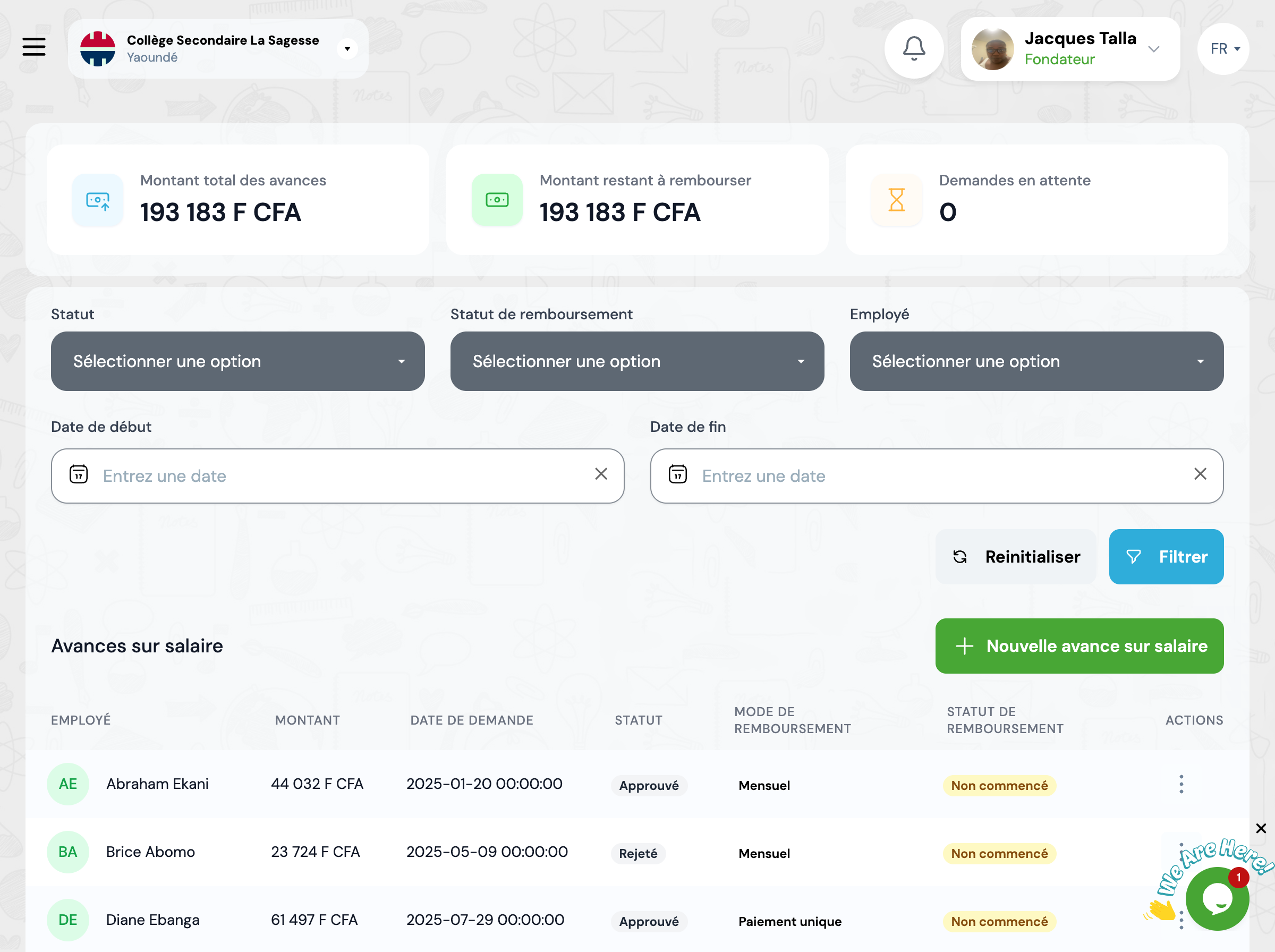
Overview
The advances page displays all requests with their status, amount and repayment schedule.
Total advance amount
Sum of all granted advances
Remaining amount to repay
Total of ongoing repayments
Pending requests
Number of requests to process
Approval workflow
Advances follow a structured approval process.
Request
Employee submits an advance request with amount and justification
Review
HR manager reviews the request and verifies eligibility
Approval
Request is approved or rejected by competent authority
Repayment
Repayments are automatically deducted from monthly salaries
Repayment modes
Several repayment modes are available.
Single payment
Full repayment on next salary
Monthly
Repayment spread over several months
Custom
Customized repayment schedule
Available actions
You can perform the following actions on advances:
Create an advance
Record a new advance request
View details
View all details of an advance
Approve
Approve a pending request
Reject
Reject a request with justification
Cancel
Cancel an approved advance
Next steps
Now that you know salary advances, here's what you can do:
