
Payroll Dashboard
Manage your institution's payroll with key indicators and a complete overview.
Introduction
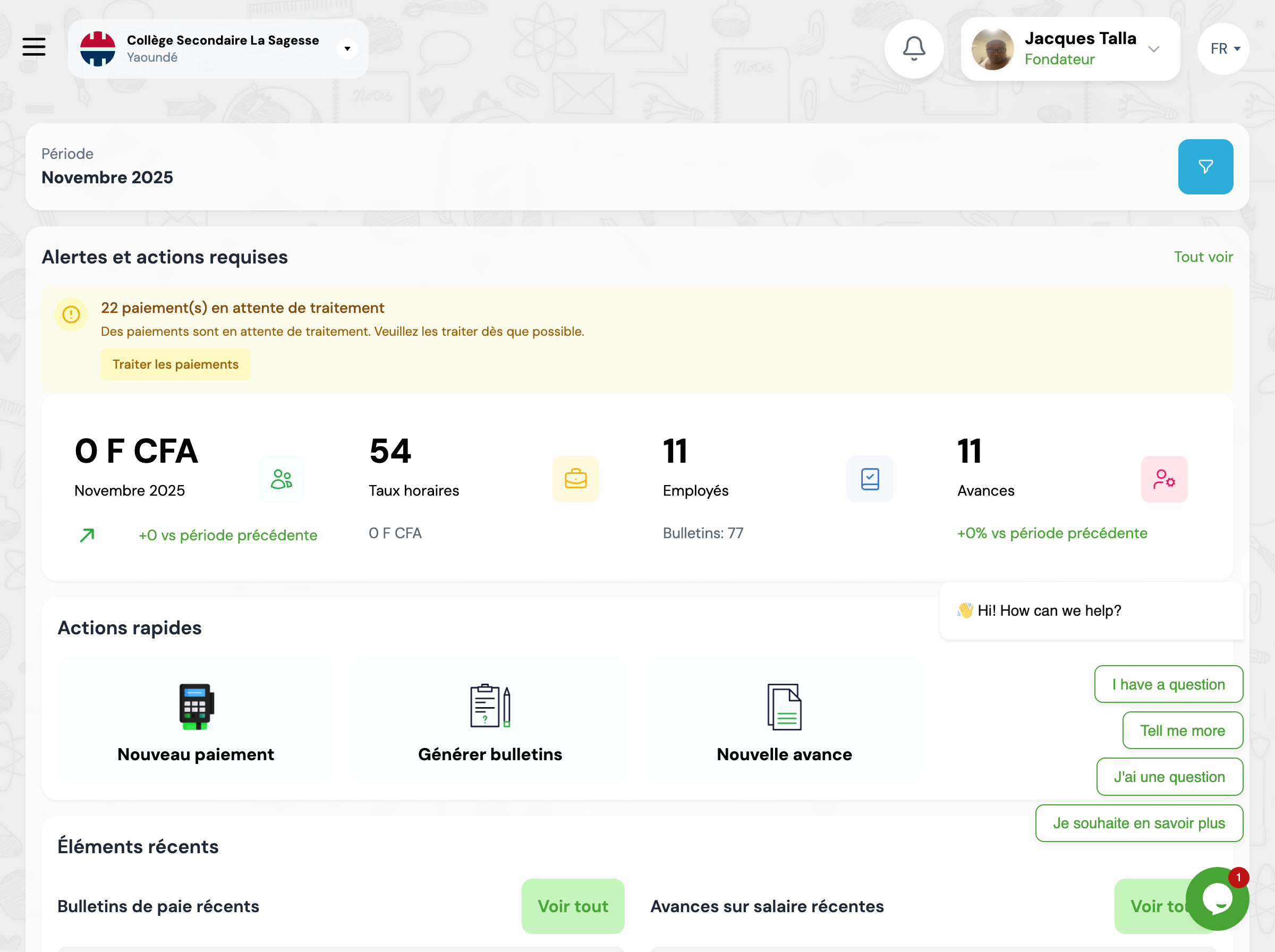
The payroll dashboard provides a centralized view of all compensation activities in the institution. It allows HR managers to track payroll mass, payments made, ongoing advances and generated payslips.
Overview
The dashboard presents several key sections that give you an instant overview of the payroll situation.
Key metrics
Indicator cards display essential metrics for tracking payroll.
Current period payroll
Total payroll amount for the current period
Hourly rates
Number of hourly rates configured in the system
Employees
Total number of employees with salary profile
Salary advances
Number of ongoing or approved advances
Alerts
The system displays alerts for actions requiring your attention.
Pending payments
Number of payments that need to be processed
Quick actions
Direct access to the most frequent actions.
New payment
Record a new salary payment
Generate payslips
Launch the generation of monthly payslips
New advance
Create a salary advance request
Recent items
View the latest payroll activities.
Recent payslips
The latest generated payslips
Recent advances
The latest advance requests
Recent payments
The latest payments made
Recent salary profiles
The latest modified profiles
Charts and analysis
Visualize payroll trends and distributions.
Payslip status
Distribution of payslips by status (Draft, Pending, Approved, Validated, Paid)
Top employees by salary
Employees with the highest compensations
Distribution by contract type
Distribution of employees by contract type
Statistics by department
Payroll mass and headcount by department
Next steps
Now that you know the dashboard, here's what you can do:
