
Fee Settings
Complete configuration of fee types and amounts for each school level.
Introduction
Fee settings allow you to define all types of fees applicable in your institution, with specific amounts by cycle and class if necessary.
Overview
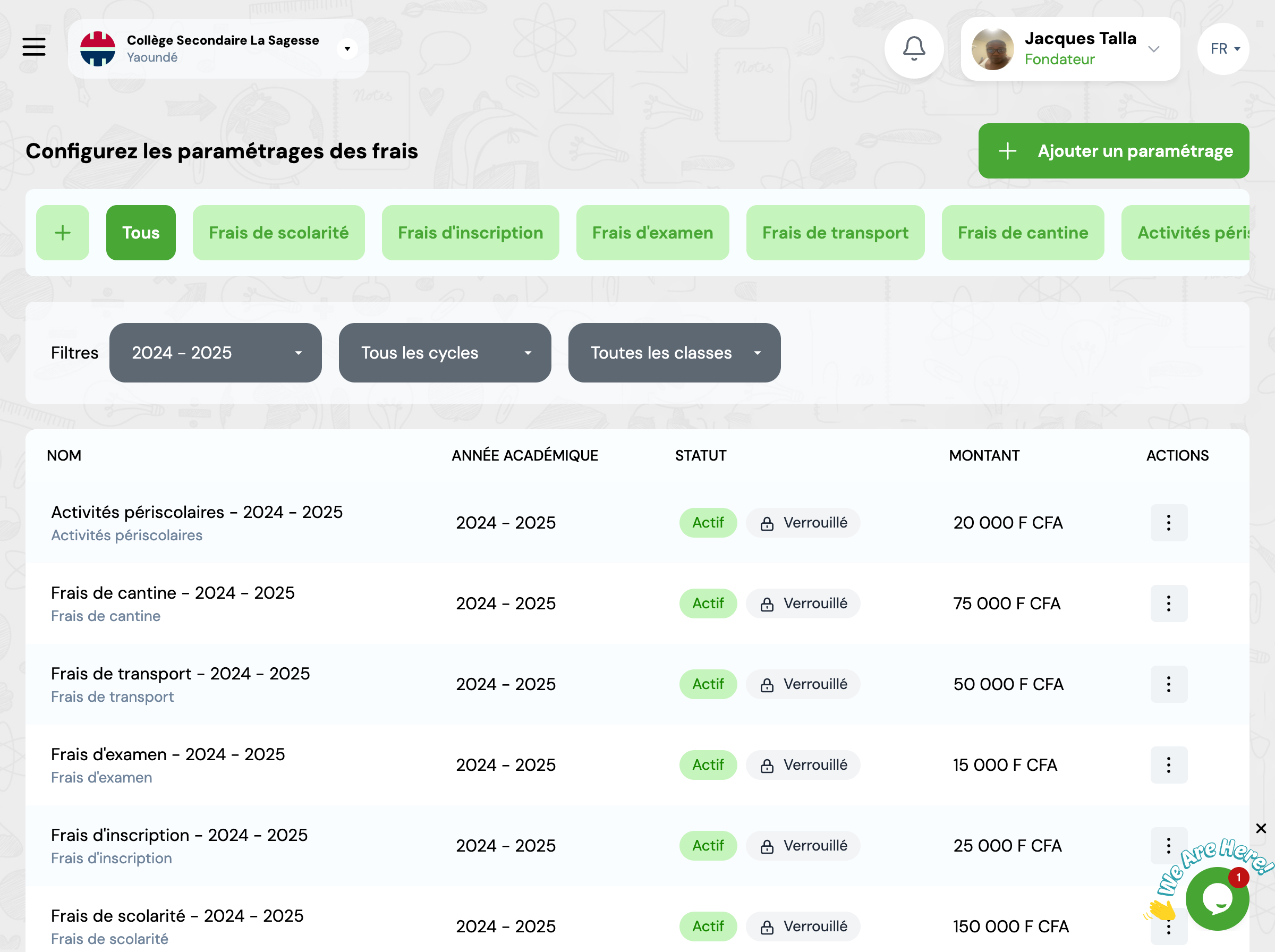
This page displays all fee settings configured for the current academic year. You can filter, modify, or add new settings.
Fee Types
GO4SFEES offers several predefined fee categories that you can customize according to your needs.
Tuition Fees
Main fees charged for teaching and academic training
Registration Fees
Fees paid once during student enrollment
Exam Fees
Fees related to official exams and certifications
Transport Fees
Fees for school transportation service
Canteen Fees
Fees for meals and catering services
Extracurricular Activities
Fees for extracurricular activities and clubs
Available Filters
Use filters to refine the display of fee settings.
Academic Year
Select the academic year to view corresponding fees
Cycle
Filter by education cycle (Primary, Secondary, etc.)
Class
Filter by specific class
Settings Management
You can create, modify, or delete fee settings according to your needs.
Warning - Locked Settings
Fee settings associated with existing transactions are locked and can no longer be modified to maintain financial data integrity.
Frequently Asked Questions
Can I modify fee settings after enrollment?
Fee settings can be modified before transactions are recorded. Once transactions exist for a fee setting, it becomes locked to maintain data integrity. You can create new fee settings for future periods or different student groups.
How do I create payment installments?
Navigate to Fee Settings, select the fee type, and use the installment builder to divide the total amount into multiple payments. You can specify the number of installments, amounts, and due dates for each installment period.
Can different classes have different fees?
Yes, fee settings can be configured per academic level, cycle, or specific class. When creating a fee setting, select the appropriate filters to apply fees only to targeted student groups. This allows complete flexibility in your fee structure.
What happens if I change fees mid-year?
Mid-year fee changes only affect students who haven't yet been charged. Already recorded transactions remain unchanged. To adjust fees for all students, you'll need to create adjustment transactions (positive or negative) to reflect the difference.
Can I apply discounts to specific students?
Yes, discounts can be applied at the transaction level when recording payments. You can offer percentage-based or fixed-amount discounts. Each discount requires a reason for audit purposes and is clearly visible on receipts and reports.
