
Accounting Dashboard
View at a glance the essential financial indicators of your institution.
Introduction
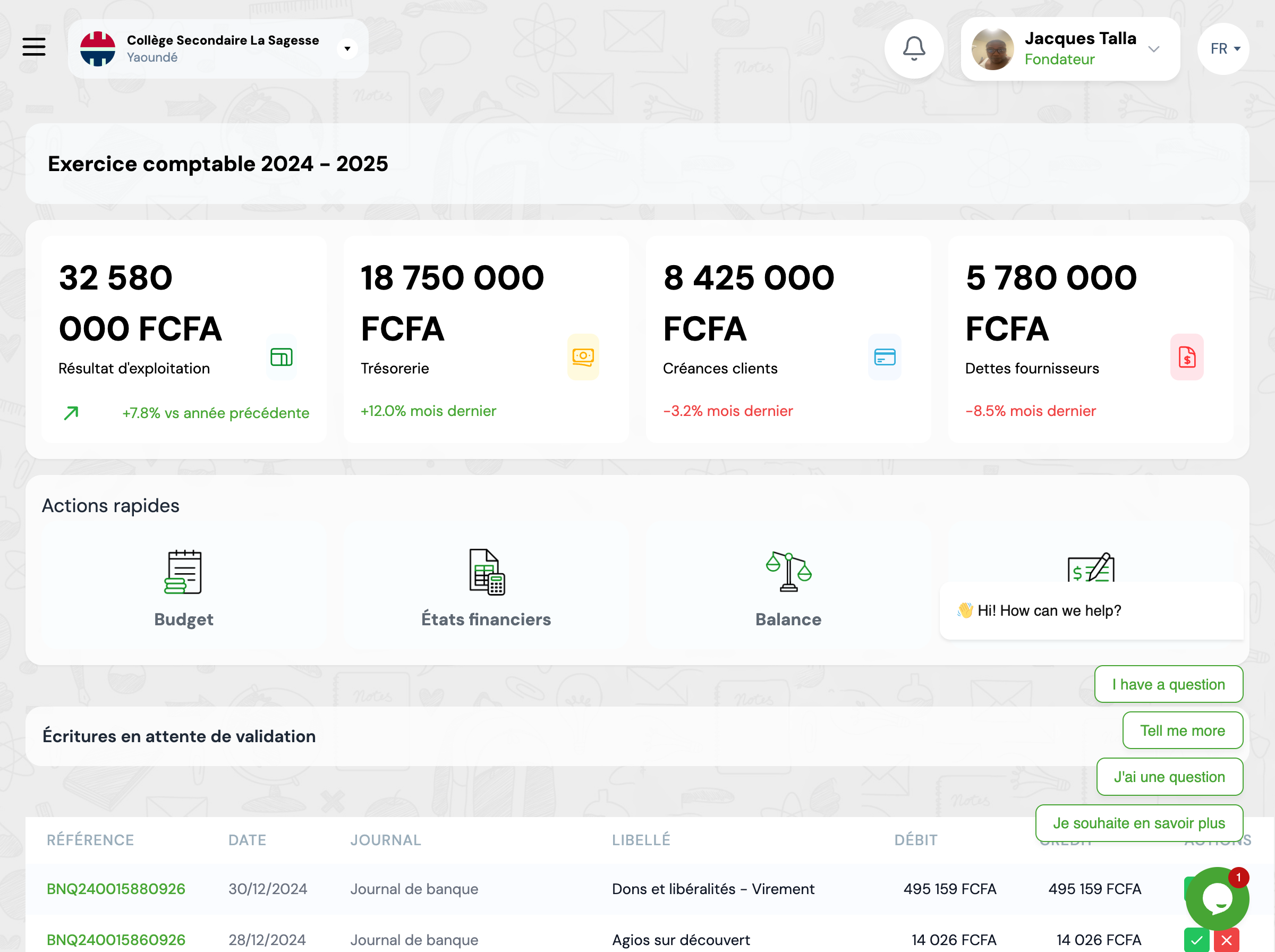
The accounting dashboard provides a synthetic and real-time view of your institution's financial health. It groups key performance indicators (KPIs) and provides quick access to the most used accounting functions.
Overview
The dashboard is divided into several sections: the main financial indicators at the top, quick actions in the center, and the list of entries awaiting validation at the bottom. All displayed data can be filtered by accounting period.
Key Performance Indicators
Four main indicators allow you to monitor the financial health of your institution:
Operating Result
Difference between income and operating expenses. A positive indicator means the institution generates a surplus.
Treasury
Sum of available funds in bank and cash. Crucial indicator for daily management.
Accounts Receivable
Total amount owed by families (unpaid tuition fees).
Accounts Payable
Total amount of supplier invoices not yet paid.
Quick Actions
Access the most used features directly:
Budget
View and manage your forecast budgets.
Financial Statements
Generate your financial statements (income statement, balance sheet).
Balance
Access the trial balance to verify the balance of your accounts.
Pending Validation Entries
This section lists all accounting entries that have been recorded but not yet validated. You can:
Validate an Entry
Click on the validation icon (green checkmark) to permanently validate the entry. Once validated, it cannot be modified.
Delete an Entry
Click on the delete icon (red cross) to permanently delete the entry before validation.
Next Steps
Continue your discovery of GO4SCOUNT:
