
View Academic Years
View your institution's school calendar with terms and academic months, and set the current year.
Introduction
The academic year is the cornerstone of school organization in GO4SCHOOL. It defines the period during which teaching takes place and structures the entire school calendar. This page allows you to view existing academic years and set the current year.
Good to know
Academic years are pre-configured by the school complex administrator. You can view the details of each year and change the current year according to your needs.
Components of an academic year
Academic year
Start and end dates of the school year (e.g., 2024-2025)
Terms
Division of the year into 1 to 3 pedagogical activity periods
Academic months
Monthly subdivision for detailed tracking
View Academic Years
Access the year list
- 1 In the sidebar menu, click on GO4SCONFIG
- 2 Select General
- 3 The list of academic years is displayed with their information
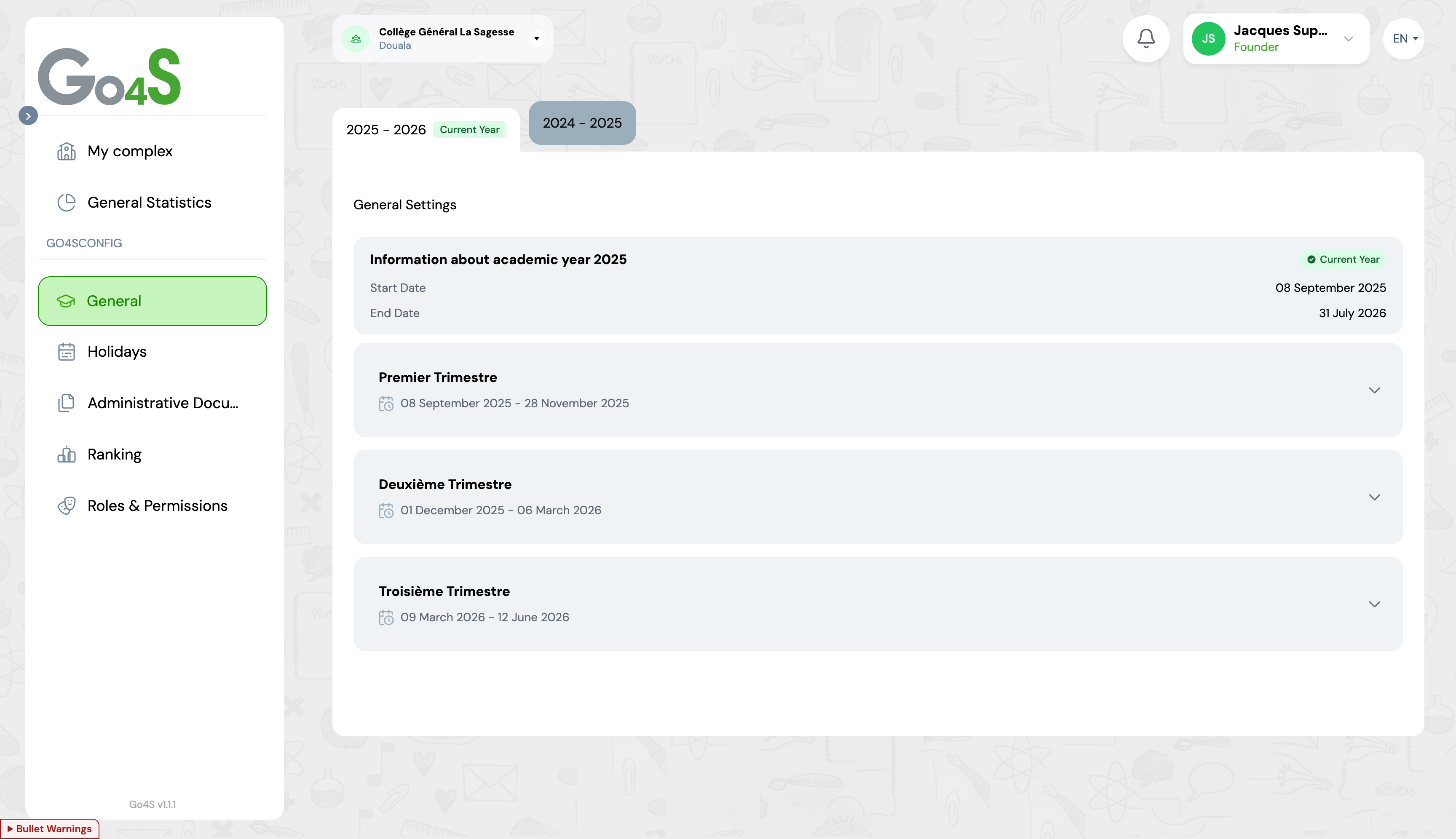
Academic years viewing interface
Displayed information
Year period
The start and end dates of each academic year
Current year
A badge indicates which year is currently active
Terms
Click on a year to see its terms and academic months
View Terms
Terms allow you to divide the academic year into distinct evaluation periods. Each year can contain between 1 and 3 terms depending on the educational system.
Viewing
Terms and their dates are visible by expanding an academic year. Click on the arrow to display details.
To view terms
- 1. Click on the desired academic year
- 2. Terms are displayed with their dates
- 3. Expand a term to see its academic months
Academic Months
Academic months are subdivisions of terms that allow more granular tracking of student progress. Each term can contain up to 3 academic months.
View academic months
To see academic months, expand a term by clicking on it. The start and end dates of each month are displayed.
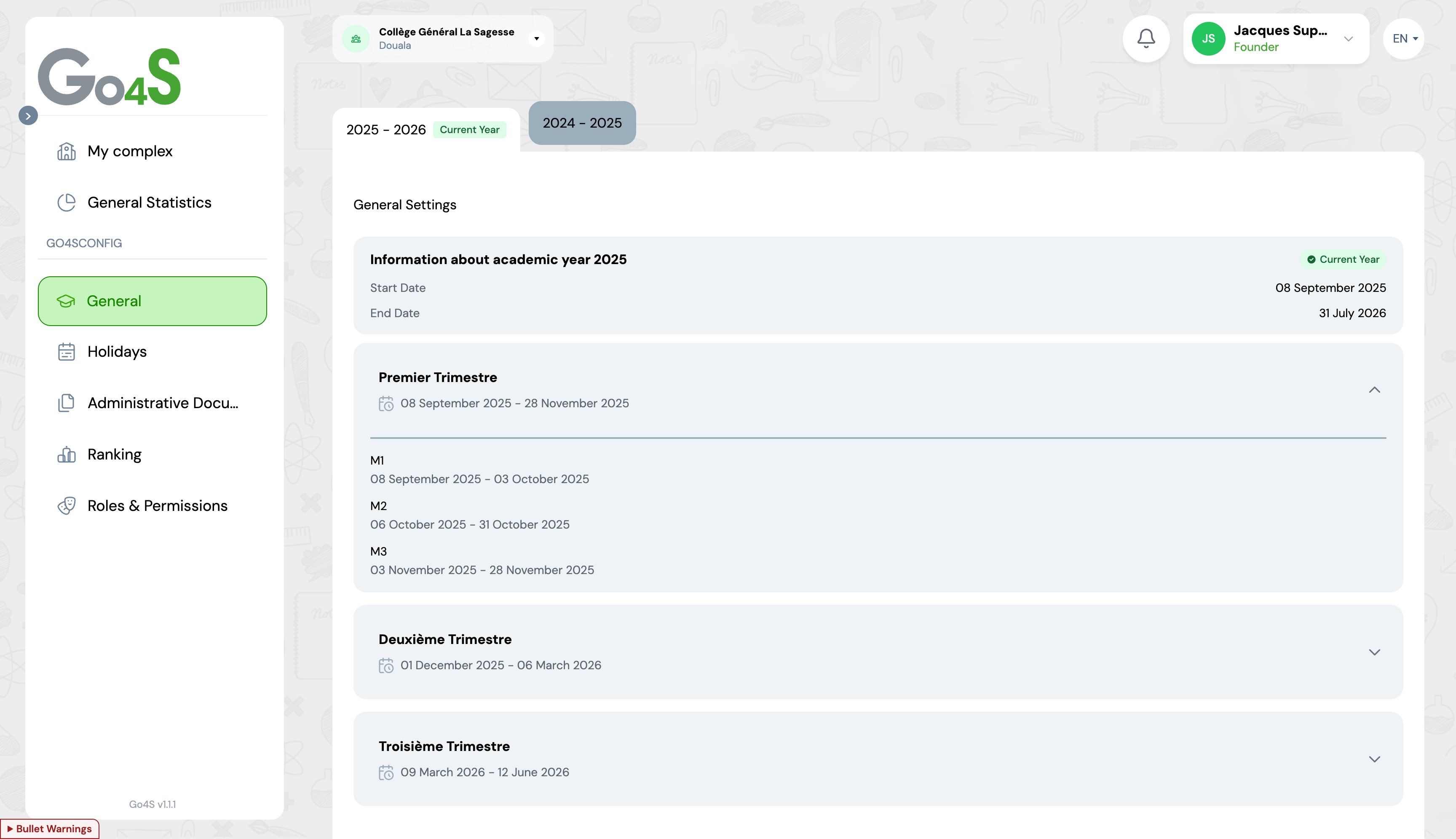
Display of academic months within a term
Set Current Year
Only one academic year can be defined as the "current year". This is the active year used by default in all GO4SCHOOL modules. You can change the current year at any time.
Change the current year
- 1 Locate the year you want to set as current
- 2 Click on the "Set as current year" button
- 3 The year is immediately set as the active year
Tip
If you change the current year mid-year, make sure you have saved all important data from the previous year. This change affects the default display in all modules.
Best Practices
Check the current year
Make sure the current year is correctly set before starting to use other modules
Review the terms
Familiarize yourself with the structure of terms and academic months for better organization
Plan the year change
Change the current year at the right time, usually at the start of the school year
Frequently Asked Questions
Can I create or modify an academic year?
No, creating and modifying academic years is reserved for the school complex administrator. You can only view existing years and set the current year.
What happens when I change the current year?
When you change the current year, all GO4SCHOOL modules will use this new year by default. Data from the old year remains accessible by selecting the appropriate year in each module.
How many terms can exist per year?
Each academic year can contain between 1 and 3 terms, and each term can have up to 3 academic months.
Next Steps
Now that you have viewed the academic years, here's what you can do next:
