
Communications Dashboard
Overview of all your communications and their statistics for optimal tracking.
Introduction
The communications dashboard provides a centralized view of all the institution's communication activities. It allows managers to quickly see sent communications, read rate, responses, and recipient engagement.
Good to know
The dashboard updates in real-time and displays data for the current academic year. Statistics can be filtered by period, communication type, or target audience.
Overview
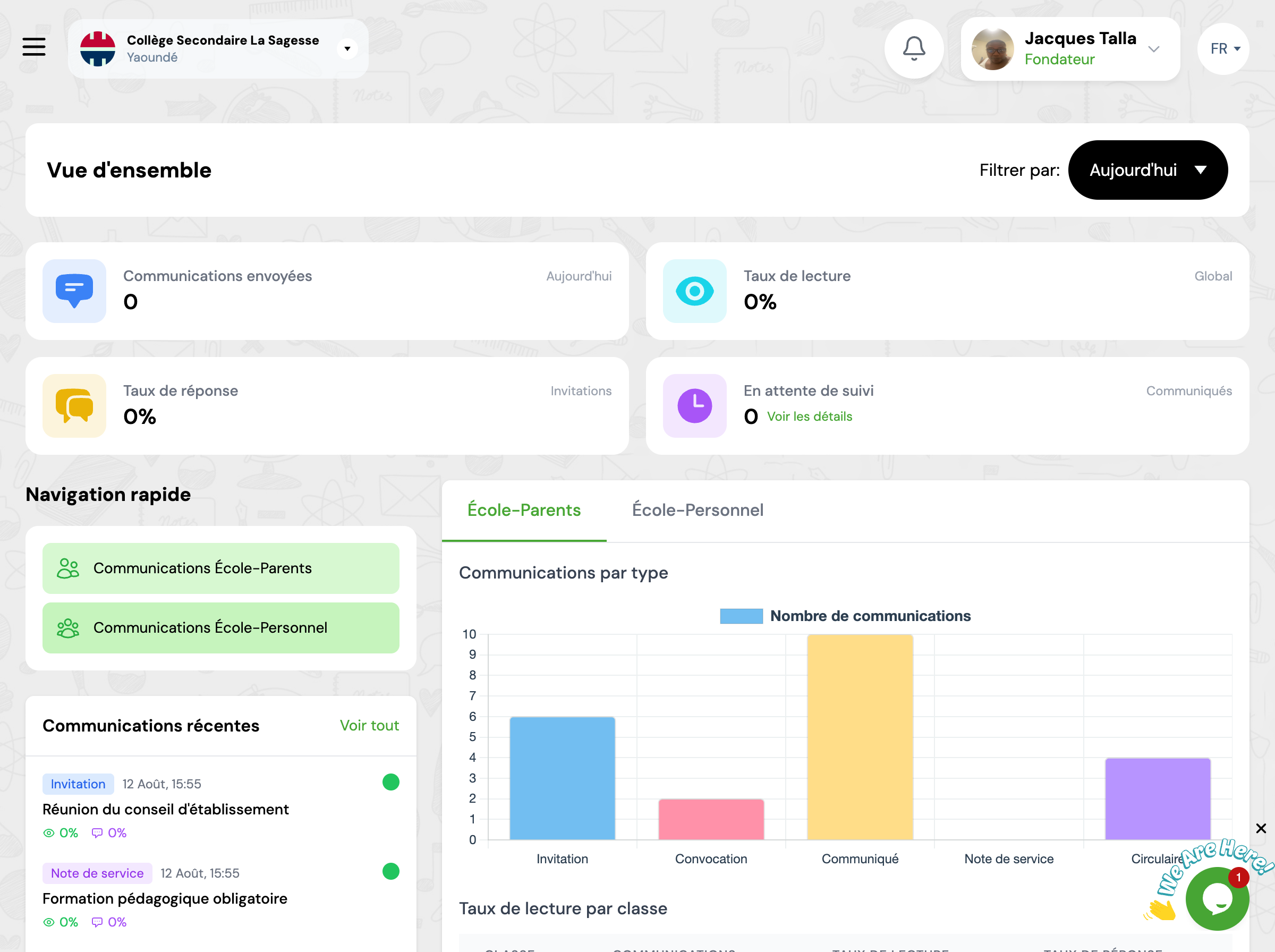
The dashboard presents several key sections that give you an instant overview of communication activity.
Key Metrics
Metric cards display essential metrics for tracking the effectiveness of your communications.
Communications sent
Total number of communications sent for the selected period
Read rate
Percentage of communications read by recipients
Response rate
Percentage of recipients who responded to communications
Recent communications
List of recent communications sent with their status and statistics.
Quick Actions
The dashboard provides shortcuts to the most frequent actions.
New communication (Parents)
Create a new communication for parents
New communication (Staff)
Create a new communication for staff
Next Steps
Now that you know the dashboard, here's what you can do:
